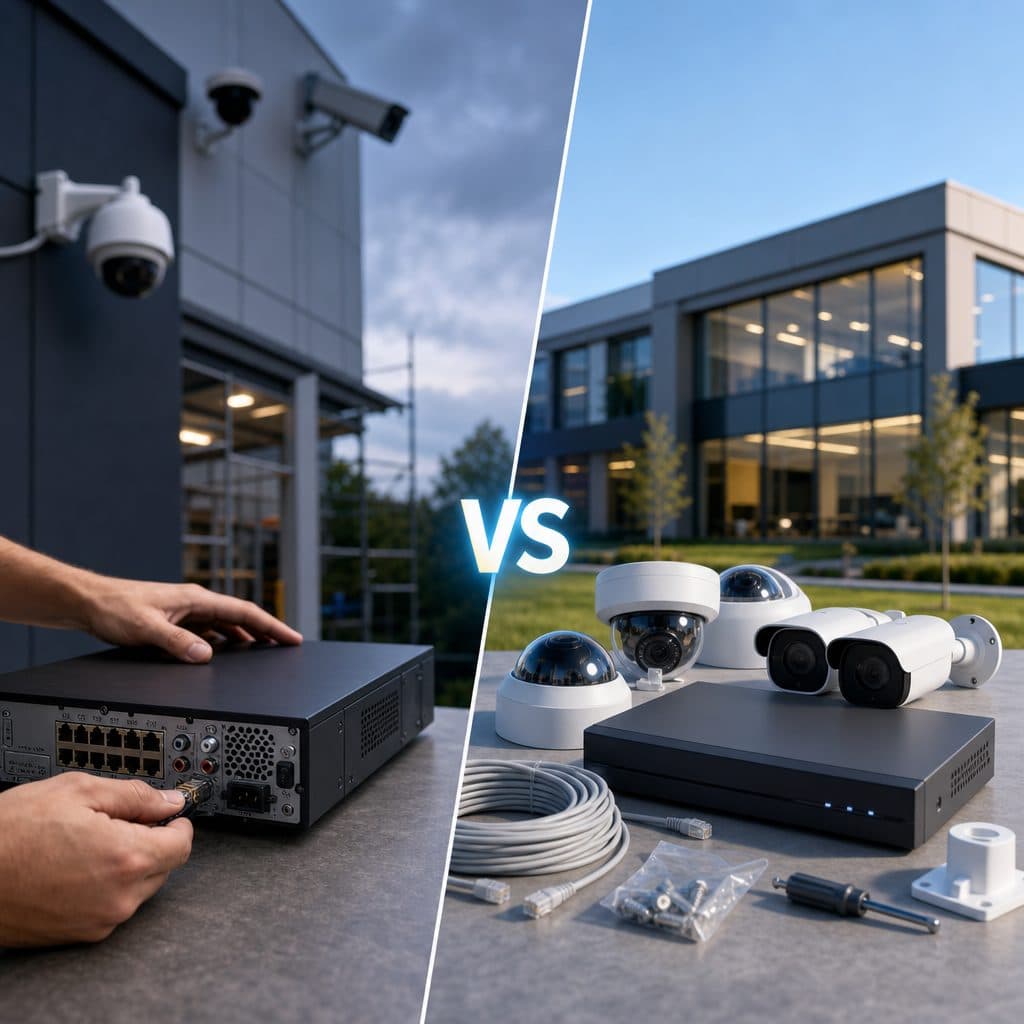
The upgrade question: replace the NVR or rebuild the system?
When a camera system starts missing recordings, freezing during playback, or failing to support new cameras, the first question is usually practical: can the existing recorder be replaced, or is the entire system ready for replacement? The answer affects cost, downtime, cybersecurity exposure, and how useful the video will be when an incident occurs.
For many businesses, the network video recorder, or NVR, is the most visible point of failure. It stores video, manages camera connections, controls user access, and often provides the interface your team uses every day. However, camera performance also depends on cabling, switches, power, firmware, licensing, viewing stations, and the original design. A recorder swap can be the right move, but only when the rest of the system can support current requirements.
This guide explains how to evaluate both paths. You will learn when an NVR replacement is enough, when a full system replacement is more responsible, what to check before approving either option, and how Security & Life Integrations approaches upgrade planning without turning a focused repair into an unnecessary project.
 A structured assessment prevents unnecessary camera system spending.
Why camera systems age unevenly
A camera system is not one product aging at one speed. The NVR may fail first because hard drives run constantly and software eventually stops receiving updates. Cameras may still produce acceptable images, yet be limited to older compression, lower resolution, or weak low-light performance. Network switches can appear healthy while lacking power capacity for newer cameras. Cabling may support today’s load but fail when higher bandwidth cameras are added.
Uneven aging is why a simple symptom rarely proves the right scope. Slow playback could be a recorder problem, a failing drive, an overloaded network, or too many remote users. Missing video could come from camera disconnects, storage settings, time synchronization errors, or retention limits. Poor image quality might be a dirty lens, a low-resolution camera, incorrect placement, or a lighting issue.
The practical goal is to separate recorder limitations from system limitations. If the recorder is the bottleneck and the cameras, wiring, and network are still serviceable, replacing the NVR can extend system life. If several parts are obsolete or mismatched, a full replacement may reduce repeat service calls and produce better evidence.
 Recorder health is only one part of upgrade planning.
What an NVR replacement can solve
An NVR replacement focuses on the recorder, storage drives, operating software, and often the management interface. It is most appropriate when the existing cameras are compatible with a new recorder and still meet the organization’s operational needs. This path is usually less disruptive because camera locations, cabling routes, and much of the network remain unchanged.
Good reasons to replace only the NVR
- Storage failures: hard drives are failing, retention is unreliable, or exported clips are corrupt.
- Capacity gaps: the recorder cannot hold the required number of days, even though cameras are adequate.
- Software limits: the interface is outdated, remote access is unreliable, or user permissions are difficult to manage.
- Camera compatibility: the existing cameras use supported protocols and resolutions that the new recorder can handle.
- Budget control: the business needs a targeted upgrade now and can plan camera replacements later.
A recorder-only upgrade can also improve usability. A modern NVR may offer faster search, better mobile access, easier user management, and support for additional storage. Those benefits matter when staff regularly review incidents, export evidence, or monitor multiple sites. The key condition is compatibility. If the new NVR cannot reliably communicate with existing cameras, the project becomes a troubleshooting exercise instead of an upgrade.
💡 Tip: Before approving an NVR replacement, request a camera compatibility matrix, estimated retention calculation, and confirmation that current cameras can be viewed, recorded, and exported through the proposed recorder.
When full system replacement is the better investment
Full replacement means redesigning the camera system rather than preserving the old architecture. It may include new cameras, new recorder or cloud-managed recording, network switches, power equipment, mounting hardware, and sometimes new cabling. This does not mean every wire must always be removed. It means the system is evaluated as a complete security tool, not a collection of parts.
Signals that the whole system is holding you back
- Images are too blurry, dark, narrow, or poorly angled to identify people, vehicles, transactions, or safety events.
- Cameras are analog, very old IP models, or no longer supported by the manufacturer.
- Existing cabling, switches, or power supplies cannot support planned camera locations or bandwidth.
- Remote viewing requires risky workarounds, shared passwords, or unsupported software.
- The organization has changed its floor plan, hours, inventory, entrances, or risk profile since the original installation.
A full replacement is also appropriate when the existing system cannot meet today’s business question. For example, a warehouse that only needed general coverage years ago may now need clear dock views, license plate context, and separate user access for managers. A medical office may need tighter user permissions and reliable export procedures. A retail site may need better coverage of point-of-sale areas without overexposing private spaces.
In those cases, keeping old cameras to save money can be more expensive over time. The system may continue producing video, but not the video you need. Replacement should be justified by documented coverage goals, not by a general preference for newer equipment.
How to compare the two options
The decision should be based on requirements, not assumptions. Start with what the business must see, how long it must retain recordings, who needs access, and how quickly footage must be found. Then compare each upgrade path against those requirements. The following table gives a practical starting point.
| Consideration | NVR replacement | Full system replacement |
|---|---|---|
| Primary goal | Restore recording reliability | Redesign coverage and capability |
| Best fit | Cameras and cabling still meet needs | Multiple components are outdated or inadequate |
| Disruption level | Usually lower | Usually higher, but planned |
| Key risk | Hidden incompatibility | Underestimating scope or downtime |
| Long-term value | Extends life of acceptable assets | Resets platform for future needs |
Assumption to verify: if the existing cameras are IP cameras using common standards, an NVR replacement may be technically possible. That does not automatically make it the best choice. You still need to test camera discovery, live view, recording, motion settings, audio if used, timestamps, and export quality before relying on the new recorder.
A step-by-step upgrade checklist
Use this checklist before purchasing hardware or approving a proposal. It helps turn a vague upgrade request into a controlled project with measurable outcomes.
1. Define the evidence you need
Write down the scenes that matter: entrances, cash handling, loading areas, parking lanes, production lines, restricted rooms, or customer interaction points. For each scene, state whether you need general awareness, recognition, identification, transaction review, or safety documentation.
2. Audit existing assets
Record camera models, resolutions, locations, viewing angles, cable types, switch models, power sources, NVR model, drive health, firmware versions, user accounts, and remote access method. Do not rely on memory. An accurate inventory prevents surprise change orders.
3. Test instead of guessing
If considering an NVR replacement, connect sample existing cameras to the proposed recorder before rollout. Confirm live view, recording schedule, search, playback, export, time synchronization, and permissions. If considering full replacement, test representative camera views before final mounting.
4. Plan downtime and cutover
Decide whether the site needs temporary recording during installation. Schedule work around business operations, alarm procedures, deliveries, and employee access. Back up critical footage before removing equipment. Keep the old recorder available until the new system is verified.
5. Document the finished system
After installation, collect administrator credentials, user roles, camera names, retention settings, network details, warranty information, and a basic operating guide. Documentation is not paperwork for its own sake. It is what makes future service faster and safer.
Common mistakes that make upgrades harder
The biggest mistake is buying hardware before defining the problem. A larger recorder will not fix blind spots. Higher resolution cameras will not help if they are aimed poorly or installed on weak network infrastructure. A full replacement will not deliver value if no one knows how to search, export, or manage users afterward.
Avoid these upgrade traps
- Keeping default passwords or shared accounts because they are convenient.
- Mixing unsupported cameras and recorders without testing core functions.
- Assuming old cable is fine without inspecting terminations, labeling, and damage.
- Reducing camera count without confirming that required scenes remain covered.
- Skipping user training, then blaming the equipment when footage cannot be found.
- Failing to set retention expectations before choosing storage size.
Recovery starts with a field assessment. Verify what works, identify what does not, and separate urgent repairs from long-term improvements. If an NVR swap has already been installed and problems continue, do not keep changing settings randomly. Review logs, camera status, bandwidth, drive health, firmware, and time settings. If a full replacement has stalled, return to the coverage goals and phase the work by priority areas.
How Security & Life Integrations frames the recommendation
A good recommendation should explain why a specific scope is appropriate. For Security & Life Integrations, the useful conversation is not simply old versus new. It is whether the existing system can meet the client’s operational goals with a targeted recorder upgrade, or whether the environment has changed enough that design, coverage, and technology need to be refreshed together.
That framing protects the budget in both directions. It prevents overbuilding when the recorder is the clear weak point, and it prevents underbuilding when outdated cameras or infrastructure would keep limiting results. The best upgrade is the one that makes recorded video dependable, searchable, secure, and useful for the people responsible for the facility.
In practical terms, expect the process to include a site walk-through, asset review, camera view discussion, recorder and storage evaluation, network check, and a cutover plan. The recommendation should name what stays, what changes, what is optional, and what should be addressed later.
💡 Tip: Ask any provider to explain the first constraint they found. If the answer is only “everything is old,” request a more specific technical and operational reason.
Short decision framework
Choose NVR replacement when the cameras still provide usable views, wiring and switches are sound, compatibility is confirmed, and the main problems are storage, playback, interface, or recorder reliability. This path is a focused upgrade. It should include new storage planning, user access cleanup, firmware review, and verification testing.
Choose full system replacement when the video no longer answers business questions, camera locations are wrong, cybersecurity and remote access rely on unsupported tools, or several components are near end of life. This path is a design project. It should begin with coverage goals and finish with documented operation.
If the answer is mixed, phase the work. Replace the recorder only if it will remain useful after future camera upgrades. Replace priority cameras first if they are the reason incidents cannot be reviewed. Avoid temporary decisions that must be undone in a few months.
Ready to plan a camera system upgrade?
Security & Life Integrations can help you determine whether an NVR replacement will solve the problem or whether a full system replacement is the safer long-term choice. Bring your current pain points, any known equipment models, and the scenes your team must review most often. The next step is a practical assessment that turns uncertainty into a clear scope, budget, and installation plan. Use the visit to confirm compatibility, document blind spots, review retention expectations, and decide which assets should stay in service. A careful recommendation now helps avoid repeat purchases, rushed downtime, and systems that record activity without capturing useful evidence when it matters most.
Request an upgrade assessment