TL;DR:
- Church security threats increased, prompting the need for tailored surveillance solutions.
- Proper placement, features, and community trust are key to effective church camera systems.
- Funding options and compliance practices help churches implement and operate security measures responsibly.
Church security has become a pressing concern for leaders across the country. Attacks on US churches doubled between 2022 and 2023, with more than 480 violent incidents recorded in 2023 alone. Selecting the right video surveillance system is not a simple task. Every facility has a different layout, congregation size, and set of risks. This guide walks you through practical, expert-driven steps for assessing your needs, choosing the right cameras, placing them correctly, and managing your footage so your congregation stays protected.
Table of Contents
- Assessing your church’s security needs
- Choosing the right surveillance system for your church
- Optimal placement and setup: Covering critical areas
- Leveraging advanced features and securing video data
- Funding and compliance tips for church surveillance projects
- The real key: Balancing security, trust, and community in church video surveillance
- Explore advanced church surveillance and security solutions
- Frequently asked questions
Key Takeaways
| Point | Details |
|---|---|
| Tailored assessment is vital | Evaluating your church’s risks and needs ensures you choose the right surveillance strategy. |
| Modern features boost efficiency | AI-powered analytics and smart storage options help even volunteer-led teams monitor activity safely and efficiently. |
| Proper setup prevents blind spots | Strategic camera placement and regular maintenance protect your most critical areas. |
| Funding and compliance matter | Grants and following legal guidelines make projects affordable and sustainable for any congregation. |
Assessing your church’s security needs
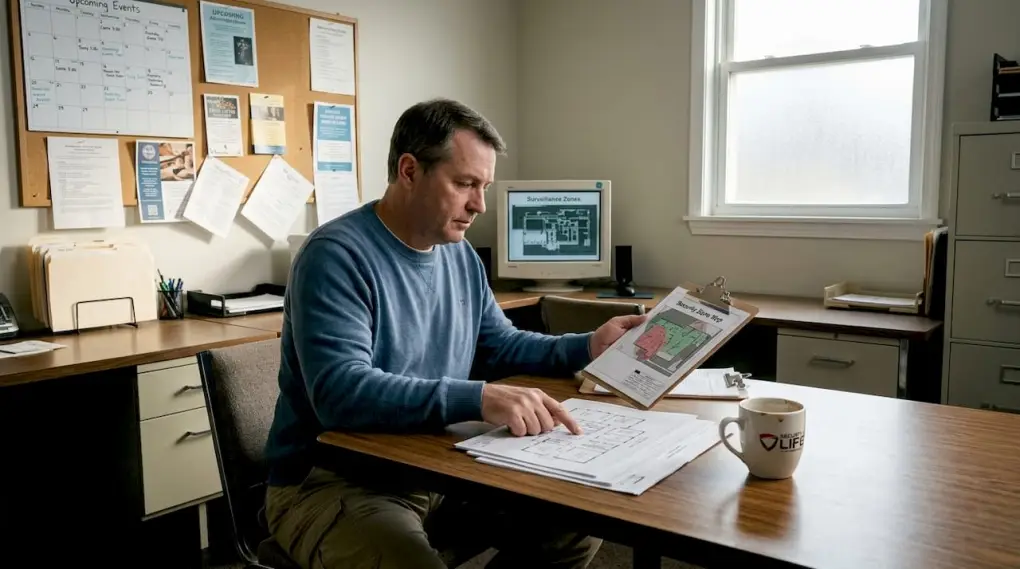
Before you spend a dollar on cameras, you need to understand what you are protecting and where the risks are. A proper threat assessment looks at your building layout, the size of your congregation, the types of events you host, and the hours your facility is in use. A church that runs a weekday food pantry faces different risks than one that only holds Sunday services.
Start by walking your property and identifying areas where people enter, gather, or could be vulnerable. Key risk areas include:
- Entryways and exits: These are the first and last points of contact for anyone on your property.
- Lobbies and foyers: High foot traffic means higher exposure during peak hours.
- Children’s classrooms and nurseries: These require strict access control and close monitoring.
- Parking lots: Often overlooked, parking areas are common sites for vehicle break-ins and personal safety incidents.
- Offices and storage rooms: Valuables, equipment, and sensitive records are stored here.
Knowing these zones helps you build a church security plan that is specific to your facility rather than generic. It is worth noting that 80% of Protestant churches already have some form of security measures in place, which means most congregations have recognized the need. If yours has not started yet, now is the time.
Visible security measures also serve as a deterrent on their own. When people see cameras, they are less likely to act on criminal intent. This is a simple but effective layer of protection that costs nothing extra once your system is installed.
Pro Tip: Contact your local law enforcement non-emergency line or a certified security consultant before finalizing your plan. Many police departments offer free security walk-throughs for houses of worship and can identify vulnerabilities you might miss.
Choosing the right surveillance system for your church
Once you know what your church needs, you can start evaluating your video surveillance options with a clear set of criteria. The three main system types are wired, wireless, and hybrid.
Wired systems are reliable and consistent. They are less susceptible to signal interference and work well for permanent installations in large sanctuaries. Wireless systems offer flexibility for older buildings where running cables is difficult or costly. Hybrid systems combine both and are often the best fit for churches with multiple buildings or campus-style layouts.
For storage, you have two main choices: cloud-based recording and on-premises recording. Cloud storage allows remote access and reduces the risk of losing footage if a device is stolen or damaged. On-premises storage gives you full control over your data without ongoing subscription fees. Many churches use a combination of both.
When reviewing features, look for these must-haves:
- Night vision: Essential for parking lots and exterior coverage after dark.
- Motion detection: Reduces the amount of footage you need to review by flagging activity.
- Wide-angle lenses: Useful for large open spaces like sanctuaries and fellowship halls.
- Two-way audio: Allows staff to communicate through the camera system.
- AI analytics: Object detection and people counting can enhance efficiency for volunteer teams who cannot monitor screens all day.
Here is a quick comparison to help match camera types to common church spaces:
| Camera type | Best use | Key benefit |
|---|---|---|
| Fixed dome | Lobbies, classrooms | Discreet, wide coverage |
| PTZ (pan-tilt-zoom) | Sanctuaries, parking lots | Flexible, remote control |
| Bullet camera | Exterior walls, entryways | Long-range, weather-resistant |
| Fisheye/360-degree | Fellowship halls, open areas | Full-room coverage |
For a detailed walkthrough of equipment setup, the camera installation guide covers the process step by step. You can also review purpose-built cameras for churches that are designed specifically for religious facilities.
Optimal placement and setup: Covering critical areas
With the right surveillance system selected, correct placement and setup become crucial for true protection. Even the best cameras will miss incidents if they are pointed in the wrong direction or mounted too high.
Here is a step-by-step checklist for placement:
- Map all entry and exit points and assign at least one camera to each.
- Cover the parking lot with wide-angle or PTZ cameras mounted at 8 to 10 feet for a clear view of faces and license plates.
- Place cameras at the entrance to children’s areas at eye level to capture facial detail.
- Position sanctuary cameras high enough to cover the full room without capturing private moments in prayer.
- Install cameras in office hallways and near storage rooms where valuables are kept.
- Review test footage before finalizing any mount to confirm there are no blind spots.
This table shows recommended camera types by zone:
| Zone | Recommended camera type | Coverage goal |
|---|---|---|
| Main entrance | Bullet or dome | Facial recognition, entry logging |
| Parking lot | PTZ or wide-angle | Vehicle and pedestrian activity |
| Sanctuary | Fixed dome or fisheye | Full-room overview |
| Children’s area | Dome with audio | Access monitoring |
| Office/storage | Fixed dome | Theft prevention |
Visible cameras deter up to 60% of burglary attempts, which means placement in plain sight is a deliberate strategy, not just a technical necessity. Use this fact when making the case to your board or finance committee for proper coverage.

Routine maintenance matters too. Check camera angles monthly, clean lenses, and verify that recording is active. Review your camera installation tips periodically to stay current. Pair this with video monitoring solutions that include health-check alerts so you know immediately if a camera goes offline.
Pro Tip: Before drilling any mounts, use a tablet or phone to simulate the camera angle from the planned position. Walk through the space as a visitor would. This simple test catches blind spots before installation.
Leveraging advanced features and securing video data
Once cameras are in place, leveraging advanced features and proper data practices makes surveillance more powerful for churches. Most modern systems offer tools that go far beyond basic recording.
Smart analytics are particularly useful for churches with small or volunteer-based staff. Consider these advanced features:
- People counting: Tracks how many individuals enter and exit, useful for safety compliance during large events.
- Suspicious object alerts: Flags unattended bags or items left in sensitive areas.
- Auto-notifications: Sends alerts to staff phones when motion is detected in restricted zones after hours.
- License plate recognition: Logs vehicles entering your parking lot automatically.
- Facial recognition access logs: Matches faces against an approved visitor list for high-security areas.
AI capabilities like object detection and people counting are essential for efficient oversight, especially with limited staff. For volunteer-led teams, these tools reduce the burden of constant manual monitoring.
“Modern AI-powered video platforms transform passive recording into active security. Churches no longer need a full-time security team to benefit from real-time alerts and automated event detection.”
Data security is equally important. Limit footage access to a small group of trusted administrators. Use strong passwords and two-factor authentication on all recording systems. Set a clear retention policy, typically 30 to 90 days, and document who reviewed footage and when. Explore AI video monitoring platforms that include built-in access logs so you always know who viewed what. Pair this with your broader integrating with security plans to keep all policies consistent.
Funding and compliance tips for church surveillance projects
Securing funding and following regulations are the final foundation for a safe, sustainable surveillance program. Cost is often the biggest barrier for churches, but there are real options available.
The Nonprofit Security Grant Program (NSGP), administered by FEMA, is one of the most accessible sources of funding for religious institutions. Grants like NSGP can help churches and other nonprofits cover security costs, including camera systems, installation, and monitoring services. To qualify, you typically need a documented threat assessment and a written security plan.
Beyond federal grants, check with your state’s homeland security office and local community foundations. Some insurance providers also offer premium discounts for churches with verified surveillance systems in place, which can offset long-term costs.
Compliance mistakes can put your church at legal risk. Avoid these common errors:
- Recording in private spaces: Never place cameras in restrooms, changing areas, or counseling rooms.
- Failing to post notices: Most states require visible signage informing people they are being recorded.
- Not restricting access: Leaving footage accessible to all staff creates liability.
- Skipping a written policy: Without a formal policy, staff and volunteers may misuse footage.
- Ignoring data retention rules: Keeping footage longer than necessary increases your exposure in legal disputes.
Training your team is not optional. Every staff member and volunteer who has access to the system should understand the rules. Review your tailored security for churches resources to build a training framework that fits your organization.
The real key: Balancing security, trust, and community in church video surveillance
The technical side of surveillance is straightforward once you know the steps. The harder part is maintaining the trust of your congregation while doing it. We have seen churches install excellent systems and then face pushback because they never explained the purpose to their members.
Transparency is not a weakness. When you tell your congregation why cameras are in place, where they are located, and who controls the footage, you build unity around safety rather than suspicion. Churches like Pathway Church have demonstrated that a well-communicated, technology-forward approach actually strengthens community trust rather than eroding it.
Surveillance should support your mission, not contradict it. Technology should work quietly in the background so your community can focus on what matters. Explore complete religious security solutions that are built with this balance in mind.
Pro Tip: Involve a small group of congregation members in your security planning process. When people feel heard, they become advocates for the program rather than critics of it.
Explore advanced church surveillance and security solutions
You now have a clear framework for building a surveillance program that protects your congregation without overcomplicating the process. The next step is finding the right partner to help you put it into practice.

Security & Life Integrations offers church video surveillance solutions designed specifically for religious facilities, including high-definition cameras, AI-powered monitoring, and scalable storage options. We also provide access control for churches to manage who enters sensitive areas, and video monitoring for churches with 24/7 support. Contact us to schedule a consultation and get a system designed around your facility’s specific needs.
Frequently asked questions
What areas of a church should always be under surveillance?
Critical zones include entrances, parking lots, main gathering spaces, and any areas where valuables or sensitive records are stored. These locations carry the highest risk and should be prioritized in any surveillance plan.
How can churches best deter vandalism and theft?
Visible cameras stop up to 60% of burglars before they act. Combine surveillance with proper lighting and access control for the strongest deterrent effect.
Are there grants or funding to help churches pay for security cameras?
Yes, programs like the Nonprofit Security Grant Program can help cover costs for cameras, installation, and monitoring for qualifying churches and nonprofits.
What privacy rules must churches follow when recording video?
Churches should post visible notices about camera use, restrict footage access to authorized personnel only, and follow local and state privacy laws. A written policy for staff and volunteers is also required to stay compliant.