
TL;DR:
- Outdated access control systems pose daily security risks due to hardware failures, unmanaged keys, and limited visibility.
- Replacing them involves thorough audits, choosing between smart or traditional solutions, and careful planning, installation, and testing to ensure security and compliance.
Outdated access control systems put your property at risk every day they remain in place. Lost key cards pile up, old hardware fails without warning, and you lose visibility into who is entering and exiting your building. Property managers and business owners who rely on aging mechanical or first-generation electronic systems often face a tipping point: one security incident, one failed audit, or one tenant complaint is enough to force the issue. This guide walks you through every stage of replacing your access control system, from the initial audit to final testing, so you can make the transition with confidence.
Table of Contents
- Assessing your current access control system
- Choosing the right replacement: smart vs. traditional systems
- Preparation: Tools and requirements for replacing access control
- Step-by-step: Replacing and deploying your new access control system
- Testing, verification, and troubleshooting
- The uncomfortable truth most experts won’t tell you about access control upgrades
- Find expert solutions for your access control needs
- Frequently asked questions
Key Takeaways
| Point | Details |
|---|---|
| Start with a thorough audit | Document all gaps, vulnerabilities, and requirements before choosing a new access control solution. |
| Choose the system wisely | Weigh the pros and cons of smart versus traditional options, considering current and future needs. |
| Prepare tools and personnel | Gather all necessary equipment, software, and staff before installation to avoid costly delays. |
| Follow a step-by-step process | Replace the system methodically to maintain security and minimize disruption. |
| Verify results and train users | Test functionality, resolve issues, and provide effective training for lasting security improvements. |
Assessing your current access control system
Before you buy anything or contact an installer, take a close look at what you already have. A thorough audit prevents you from over-investing in areas that work and under-investing in areas that do not.
Start by categorizing your existing setup. Is it a mechanical key system, a basic electronic keypad, a proximity card reader, or a legacy server-based platform? Note the age of each component, because hardware older than seven years often lacks manufacturer support, firmware updates, or compatibility with modern software. Check maintenance records to see how often readers, locks, or control panels have failed in the past 12 months.

Next, identify your security gaps. Common vulnerabilities include untracked key distribution, no access logs, shared PIN codes, and hardware that cannot be remotely locked down. For specialized properties like a medical facility access control environment, these gaps carry compliance consequences, not just operational ones. Similarly, multi-tenant access control properties often struggle with rekeying costs after tenant turnover, which adds up quickly.
| Evaluation area | What to check | Red flags |
|---|---|---|
| Hardware age | Manufacture date, support status | Over 7 years old, no firmware updates |
| Access logs | Availability and completeness | No logs, or logs only stored locally |
| Credential management | How keys/cards are issued and tracked | No tracking system, manual logs |
| Integration capability | Compatibility with cameras, intercoms | No API, proprietary closed system |
| Scalability | Can it grow with your property? | Fixed user limits, no cloud option |
A basic home safety assessment approach applies here too: look at every entry point, document what you find, and assign a priority level to each gap. While smart access control systems offer centralized management and audit trails, some property managers still prefer mechanical keys for their simplicity and reliability, particularly in low-traffic areas where a cybersecurity breach is less of a concern.
Pro Tip: Before planning any upgrade, document every user who has current access, every door or entry point, and every third-party system (like elevators or intercoms) that ties into your current platform. This list becomes the foundation of your entire replacement plan.
Choosing the right replacement: smart vs. traditional systems
After identifying gaps, weigh which type of system best matches your property’s needs, budget, and risk profile.
Smart access control systems give you centralized management through a web dashboard or mobile app. You can add or remove users in seconds, generate real-time audit reports, and integrate with video surveillance or visitor management platforms. The HID 2026 report shows 74% of organizations now view mobile credentials as a baseline expectation, not a premium feature. This shift is pushing more property managers toward cloud-based platforms. Options like cloud access control allow you to manage your entire portfolio from any device, which is a significant operational advantage for multi-site managers.
Traditional mechanical systems, on the other hand, are straightforward to operate and carry no cybersecurity exposure in the conventional sense. They require no internet connectivity, no software licensing, and no IT support. The trade-off is that you lose visibility, scalability, and the ability to respond to security events in real time.
| Feature | Smart access control | Traditional/mechanical |
|---|---|---|
| Remote management | Yes, via app or web portal | No |
| Audit trail | Full digital log | None |
| Mobile credentials | Yes | No |
| Cybersecurity risk | Requires zero-trust integration | Minimal |
| Rekeying cost on turnover | None (digital deactivation) | High |
| Emergency reliability | Depends on connectivity | High |
| Upfront cost | Higher | Lower |
Key benefits of migrating to a smart system include:
- Instant credential deactivation when a tenant moves out or an employee is terminated
- Integration with smart video entry to verify visitors before granting access
- Role-based permissions for staff, vendors, and tenants through tenant management options
- Remote lockout capability during security incidents
- Software updates that improve functionality without replacing hardware
However, smart vs. mechanical key comparisons consistently show that user experience matters as much as technical specs. A system that staff find confusing will be bypassed, misused, or simply ignored. Plan for user adoption from the start.
Security tip: Any smart system upgrade should include a zero-trust security model, meaning every user and device must be verified continuously, not just at initial login. Work with your IT team or security integrator to configure this before going live.
Preparation: Tools and requirements for replacing access control
Once you have chosen the right system, make sure you have all the essential tools, personnel, and permissions lined up before installation begins.
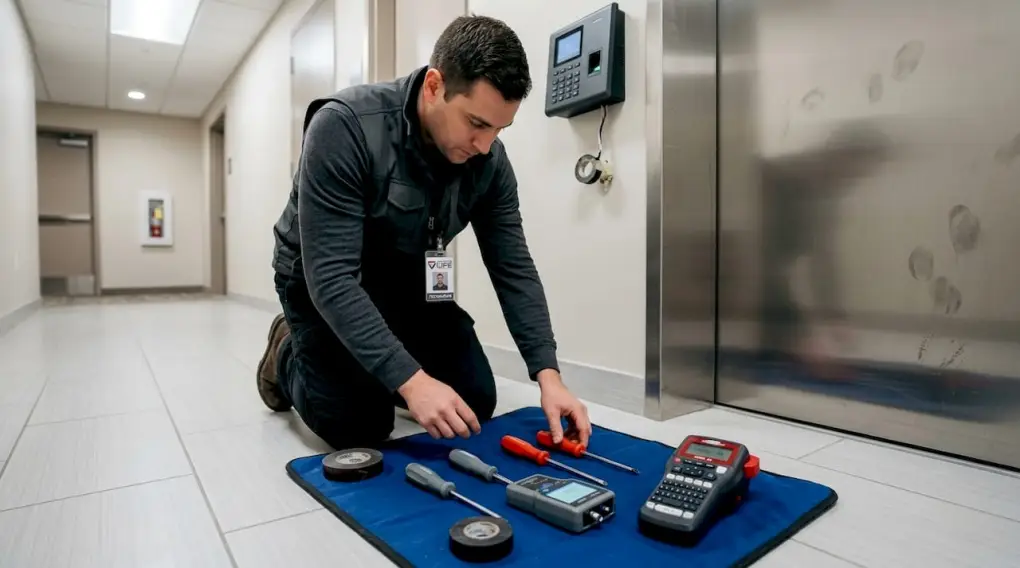
Equipment and software you will need:
| Item | Purpose |
|---|---|
| Access control panels | Central processing unit for each zone |
| Door hardware (locks, strikes, maglocks) | Physical enforcement of access rules |
| Card readers or biometric scanners | Credential verification at entry points |
| Software license or cloud subscription | System management and reporting |
| Network switch and cabling | Communication between devices |
| User devices (smartphones or key fobs) | Credential delivery to end users |
| Backup power supply (UPS) | Keeps system live during power outages |
Personnel you need involved:
- Facilities manager to coordinate building access during installation
- IT administrator to handle network configuration and cybersecurity settings
- Licensed security integrator for hardware installation and system commissioning
- HR or tenant services contact to manage credential issuance and user communication
Compliance is not optional. Check local fire codes, because access control systems must not impede emergency egress. Verify ADA accessibility requirements for any door hardware you replace. Confirm data privacy rules around how access logs are stored and retained, especially for medical or educational properties.
Preparation steps to complete before installation day:
- Back up all existing user data and access logs from your current system.
- Notify tenants and staff of the planned replacement schedule at least one week in advance.
- Obtain any building permits required by local code for electrical or low-voltage work.
- Confirm that your new system integrates with existing fire alarm or intercom systems.
- Test your backup communication plan in case entry is disrupted during the transition.
Property management efficiency improves significantly when replacements are planned around low-traffic periods. Modern access control readers with integrated cameras simplify installation because a single device replaces two, reducing the number of wiring runs needed.
Safety warning: During the transition between systems, your property may have entry points that are temporarily unsecured or operating on manual override. Station personnel at critical doors during this window and implement a temporary sign-in log for all visitors.
Pro Tip: Schedule installation during off-peak hours, such as weekends or early mornings, to minimize disruption to building occupants and reduce the risk of access being blocked during a busy operational period.
Step-by-step: Replacing and deploying your new access control system
With all requirements and tools ready, follow these steps to ensure a smooth system upgrade and deployment.
- Remove the old system. Power down existing panels, readers, and locks in one zone at a time. Label every wire before disconnecting. Photograph the wiring layout before removal.
- Install new door hardware. Mount new electromagnetic locks, electric strikes, or smart lock sets per the manufacturer’s specifications. Confirm proper alignment and weight rating for each door.
- Install and wire new readers and panels. Run new low-voltage cabling where needed. Connect readers to the access control panel using the wiring diagram from your system provider.
- Configure the software. Set up your access control software, create user groups, define time schedules, and assign permissions before adding individual users.
- Onboard users. Issue credentials to all staff, tenants, and authorized vendors. Use role-based access so each person only reaches the areas they need.
- Test every access point. Verify that each door locks, unlocks, and logs correctly. Test both normal credential entry and emergency override functions.
- Conduct a full walkthrough with stakeholders. Walk the property with your facilities manager, security contact, and a representative sample of end users to confirm everything operates as expected.
| Step | Estimated time | Key personnel |
|---|---|---|
| System removal | 2 to 4 hours per zone | Installer, facilities manager |
| Hardware installation | 4 to 8 hours per zone | Licensed installer |
| Software configuration | 2 to 3 hours total | IT admin, security integrator |
| User onboarding | 1 to 2 hours total | HR or tenant services |
| Testing and walkthrough | 2 to 4 hours | All stakeholders |
Refer to a structured system safety inspection checklist to make sure nothing is missed after installation. For specialized settings like a church access control environment, you will need to plan around event schedules and volunteer access patterns, which differ from a standard commercial deployment.
Your access control solutions provider should supply a commissioning report confirming that all points have been tested and that the system meets the specifications from your original scope of work.
Pro Tip: Configure an emergency override key or code for every access point during the transition period. Even with a fully tested smart system, a network outage or power failure can occur. Never leave a building with zero manual override capability.
Testing, verification, and troubleshooting
Once installed, a rigorous checklist and troubleshooting process ensure your access control system performs reliably and securely.
Post-installation checklist:
- Confirm every door locks and unlocks with the correct credential
- Verify that denied credentials are logged and generate an alert
- Check that access logs are populating in the management software in real time
- Test emergency exit hardware to confirm it functions independently of the access system
- Verify backup power kicks in when main power is interrupted
- Confirm video integration records entry events if cameras are linked
Common errors and how to fix them:
- Reader not communicating with panel: Check wiring connections at both the reader and panel terminal. Confirm the correct address is assigned to each reader in the software.
- Credential not recognized: Verify the credential is enrolled under the correct user profile and that the time schedule allows access at that hour.
- Door does not lock after entry: Check the door hardware alignment and confirm the lock’s power supply is wired to the correct output on the panel.
- Audit log not recording: Confirm the system has an active network connection and that the log storage path is configured correctly in the software settings.
| Test category | Pass benchmark | Fail indicator |
|---|---|---|
| Credential acceptance rate | 100% of enrolled users | Any enrolled user denied |
| Audit log completeness | Every event logged within 5 seconds | Gaps in log or delayed entries |
| Emergency egress function | Door releases in under 3 seconds | Delay or failure to release |
| Backup power performance | System stays active for at least 4 hours | System powers down at 1 hour |
| Alert notification | Alert sent within 30 seconds of event | No alert or delayed notification |
For facilities like educational facility access control environments, testing should also include lockdown simulation scenarios, where all access points are secured from a central command with a single action.
Critical warning: Do not consider your system live until every access point has passed testing. Partial testing creates false confidence. A single unconfigured door or misconfigured user group is a security gap that undermines the entire upgrade.
Mobile credential adoption is now at 74% baseline in the industry, which means your testing should also cover mobile app logins on multiple device types and operating systems to catch compatibility issues before they affect users.
The uncomfortable truth most experts won’t tell you about access control upgrades
Most installation guides stop at the technical steps. They assume that once the hardware is live and the software is configured, the job is done. In practice, that is where the real work begins.
Behavioral resistance is the number one reason access control upgrades fail to deliver their expected security improvements. Staff prop doors open because the new system feels slower. Tenants share credentials because re-enrollment feels inconvenient. Managers skip the audit log review because no one set up a weekly reporting routine. The technology works perfectly, but human behavior undermines it.
Smart access systems offer centralized management and detailed audit trails, but user experience remains a genuine differentiator. When people find a system intuitive, they follow it. When they find it frustrating, they work around it. That reality does not appear in a technical spec sheet.
There is also an honest case to be made for keeping mechanical key backup in specific areas, particularly server rooms, emergency equipment closets, and areas where internet connectivity is unreliable. Mechanical keys do not fail during a network outage or a cyberattack. They work when the power is out and the backup battery is drained. Dismissing them entirely as outdated technology is a mistake that leaves some properties unnecessarily exposed.
Invest in cloud access management tools and use them to build ongoing audit routines, not just one-time reporting. Schedule quarterly access reviews where you remove dormant credentials, verify that user permissions still match current roles, and check for any access anomalies. Technology alone is not enough. The system needs active management to stay secure over time.
Find expert solutions for your access control needs
Replacing your access control system is a significant investment, and getting it right the first time requires both the right technology and the right team.

Security & Life Integrations provides turnkey access control solutions for commercial properties, multifamily housing, and institutional facilities. From initial site assessment through hardware installation, software configuration, and ongoing support, the team handles every phase of your upgrade. Whether you need a full replacement or a targeted improvement to specific entry points, the approach is tailored to your property’s specific layout, occupancy, and compliance requirements. Pair your new system with video surveillance solutions for a fully integrated security platform that gives you real-time visibility across your entire property.
Frequently asked questions
How long does it take to replace an access control system?
Most commercial access control upgrades take 2 to 5 days, excluding the initial audit period and staff training time.
Are smart access control systems secure enough for sensitive facilities?
Smart systems provide centralized management and audit trails, but they require zero-trust cybersecurity integration to reach their full protective potential in high-sensitivity environments.
What are the most common mistakes when deploying new access control?
Skipping post-installation testing, misconfiguring user permissions, and failing to train end users on credential use are the three most frequent errors in commercial deployments.
Can mobile credentials replace physical keys in every facility?
The HID 2026 report shows 74% of organizations now treat mobile credentials as a standard baseline, but mechanical keys remain preferred in locations where connectivity or power reliability is a concern.
How do I ensure compliance when upgrading my access control?
Review local fire safety codes, ADA door hardware requirements, and any applicable data privacy regulations governing access log storage before finalizing your system design.
Recommended
- Access Control for Medical & Assisted Care Facilities | Security & Life Integrations
- Access Control for Religious Buildings & Churches | Security & Life Integrations
- Access Control for Multi-Tenant Housing | Security & Life Integrations
- Access Control for Schools | Security & Life Integrations
- Access control methods: Best examples for Queensland SMBs – IT Start
- Network Access Controller Guide | Secure Network | Re-Solution