
TL;DR:
- Proper assessment and planning are essential for effective security camera placement and coverage.
- Regular testing, maintenance, and system upgrades ensure long-term reliability and performance.
- Professional installation helps navigate operational challenges and legal requirements for optimal security.
A property without adequate surveillance is a liability waiting to be realized. Theft, vandalism, unauthorized access, and liability disputes are all far more likely when cameras are absent or poorly placed. For property managers and business owners, the cost of a single incident often exceeds the entire price of a professional security system. This guide walks you through everything you need to know about security camera installation: how to assess your property, what materials you need, how to install correctly, what to avoid, and how to keep your system running reliably over time.
Table of Contents
- What to know before installing security cameras
- Essential tools and materials checklist
- Step-by-step guide to installing security cameras
- Troubleshooting and common mistakes to avoid
- Testing and maintaining your security system
- Our take: What most guides miss about security camera installation
- Professional security camera solutions for your facility
- Frequently asked questions
Key Takeaways
| Point | Details |
|---|---|
| Cost varies by setup | Business camera installation typically ranges from $1,200 to $6,000 depending on system size and complexity. |
| Proper placement prevents risk | Strategic camera positioning eliminates blind spots, reducing vulnerability to theft and safety incidents. |
| Hybrid systems ensure coverage | Combining wired and wireless cameras addresses WiFi issues and tricky areas for maximum protection. |
| Routine checks preserve reliability | Regular testing and maintenance help avoid system failures and costly repairs. |
What to know before installing security cameras
Now that you’re aware of the risks addressed, let’s review what you should consider before getting started.
Before you purchase a single camera, you need a clear picture of your property’s specific vulnerabilities. Start by walking the perimeter and interior of your facility during both day and night. Note entry and exit points, areas with limited staff visibility, parking lots, storage rooms, and any location where cash or sensitive assets are handled. Each of these zones represents a potential coverage gap.
Evaluating your coverage areas
Different property types carry different risks. A retail space needs camera coverage at the entrance, checkout counters, and stockroom. A multifamily housing complex requires coverage at building entrances, parking structures, mailroom areas, and common spaces. Multi-tenant housing cameras involve unique placement challenges because residents have privacy rights in their individual units. Understanding these distinctions before installation prevents legal problems later.
Understanding installation costs
Cost is one of the most common points of confusion for property managers. According to a detailed surveillance camera installation cost breakdown, labor runs between $80 and $200 per camera. A four-camera business system typically costs between $1,200 and $2,800 total, while a small business setup with more cameras can run from $2,500 to $6,000. The variables that drive cost up include wiring complexity, the number of cameras, camera type (IP versus analog), and the need for conduit or ceiling access.
| Property size | Estimated camera count | Estimated total cost |
|---|---|---|
| Small retail or office | 4 to 6 cameras | $1,200 to $3,500 |
| Medium commercial facility | 8 to 16 cameras | $3,500 to $8,000 |
| Large property or campus | 20+ cameras | $8,000 to $25,000+ |
Legal requirements and privacy compliance
Every state has different laws governing where cameras can be placed and how recordings must be stored. In general, cameras cannot be placed in areas where people have a reasonable expectation of privacy, such as restrooms or private offices. Most jurisdictions require posted signage notifying people they are under video surveillance. Check your local regulations before installation, and consult your legal advisor if you manage properties in multiple states.
Cameras also work best when integrated with your other safety systems. Property crime reduction with cameras is most effective when surveillance connects to access control and alarm systems, creating a layered approach to security rather than relying on cameras alone.
Pro Tip: Before finalizing your camera layout, create a simple floor plan and mark every blind spot. This visual map will save you from expensive repositioning after installation.
Essential tools and materials checklist
Once you’ve reviewed your needs and costs, it’s time to gather the right tools and materials.
Arriving at an installation site without the right equipment is a common cause of delays and rework. The tools you need depend on whether you’re running a wired system, a wireless system, or a hybrid of both.
Tools for wired camera installations
- Power drill with masonry and wood bits
- Fish tape or cable snake for routing cables through walls
- Cable staples and conduit for protecting exposed runs
- RJ45 crimping tool and Cat6 or coaxial cable
- Voltage tester and wire stripper
- Ladder rated for the mounting height required
- Mounting hardware: screws, anchors, and junction boxes
Tools for wireless camera installations
- Power drill for mounting brackets
- WiFi signal strength meter or app
- PoE (Power over Ethernet) injectors if cameras require wired power
- Surge protector for outdoor power connections
- Weatherproof silicone sealant for outdoor mounting points
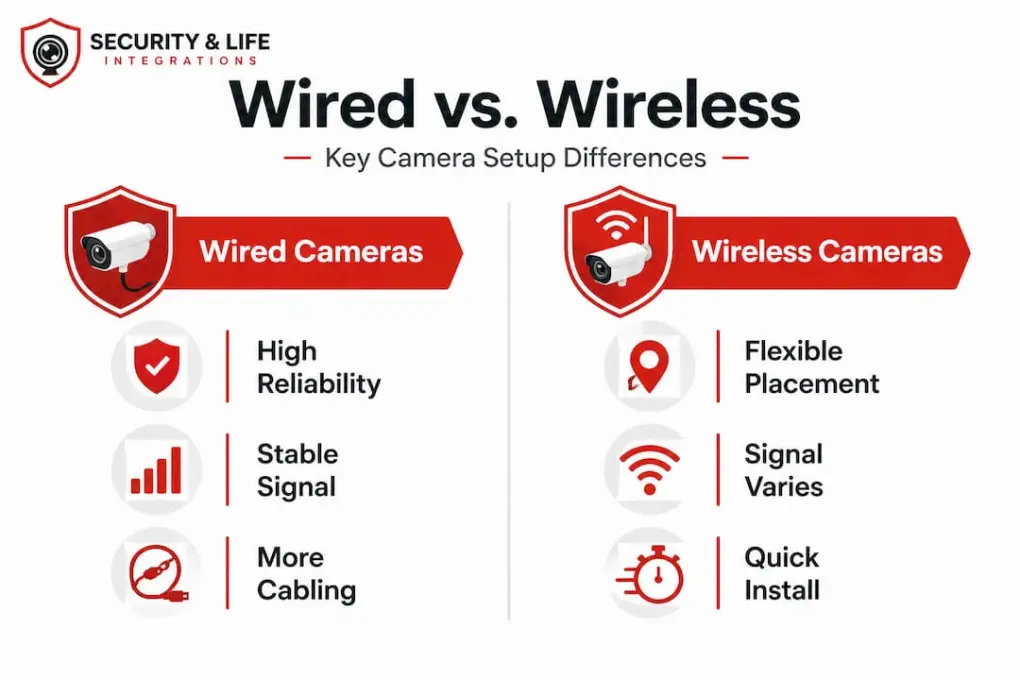
Wired vs. wireless: a direct comparison
| Feature | Wired cameras | Wireless cameras |
|---|---|---|
| Signal reliability | High, no interference | Varies with WiFi strength |
| Installation effort | More complex, requires cabling | Faster, simpler setup |
| Best use case | Large facilities, long-term installs | Small offices, flexible layouts |
| Maintenance | Lower after setup | Requires ongoing WiFi management |
| Cost | Higher upfront | Lower upfront, varies by system |
Addressing site-specific challenges
Not every location is camera-friendly. Direct sunlight can wash out an image entirely. Placing a camera behind glass creates glare and reflection that renders footage unusable. WiFi dead zones make wireless cameras unreliable in basements, parking garages, and thick-walled storage areas. Moving foliage near outdoor cameras triggers constant false motion alerts. According to security camera blind spots and coverage essentials, using wide dynamic range (WDR) cameras helps manage high-contrast lighting, and a hybrid wired-wireless approach often provides the most reliable coverage across varied environments. For locations without network access, consider cameras without WiFi that record locally to SD card or NVR storage.
Pro Tip: Always test your WiFi signal at the exact mounting location before drilling. A signal that looks strong on paper can drop significantly near metal ductwork or concrete walls.
Step-by-step guide to installing security cameras
With everything in hand, you’re ready to start installing your cameras.
A structured approach prevents the most common installation errors and ensures your footage holds up in the event of an incident.
-
Mark all mounting locations based on your coverage map. Use painter’s tape to indicate the exact spot before drilling. Confirm the field of view from each location using a phone camera to simulate the angle.
-
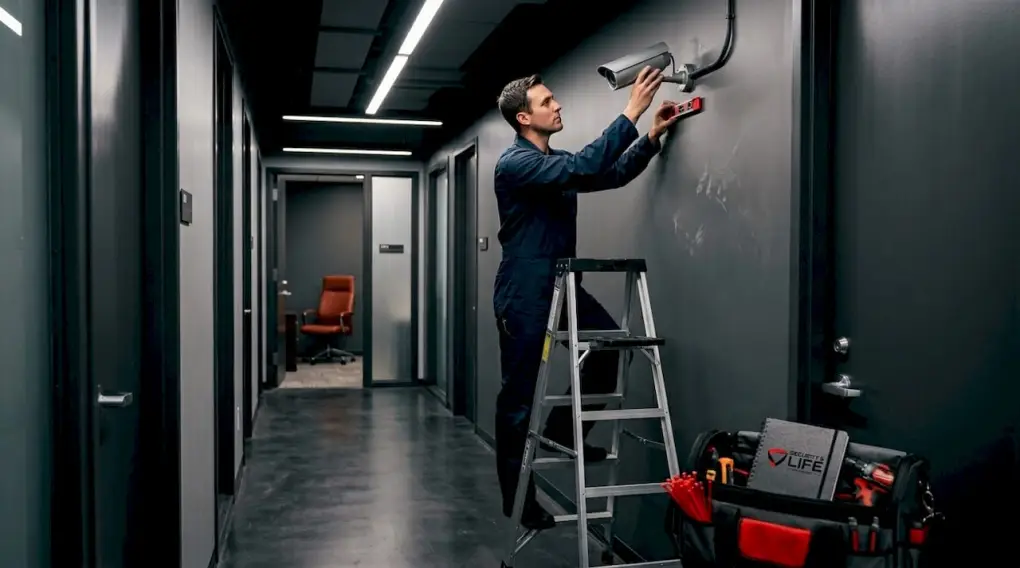
Mount the brackets and housings at the marked locations. For outdoor cameras, use weatherproof junction boxes and apply silicone sealant around cable entry points to prevent moisture intrusion.
-
Run your cables from each camera location to your central NVR (Network Video Recorder) or DVR (Digital Video Recorder). For wired systems, route cables through walls or conduit to protect them. Label each cable at both ends to simplify future troubleshooting.
-
Connect cameras to the recording hardware. For IP cameras, plug into a PoE switch connected to your NVR. For analog cameras, connect coaxial cable to the DVR. Confirm each camera powers on before moving to the next.
-
Configure recording settings on your NVR or DVR. Set motion detection zones, recording schedules, and alert notifications. Adjust resolution and frame rate based on your storage capacity. Most business systems record at 1080p minimum.
-
Test every camera feed before closing up walls or finalizing cable runs. Walk through each zone the camera is meant to cover and verify the footage is clear, properly framed, and free of glare or obstruction.
“Most installation failures are discovered after the job is closed out. Testing during the install, not after, is the difference between a working system and an expensive callback.”
For a detailed walkthrough specific to institutional settings, the 6-step camera install guide covers mounting, cabling, and configuration in practical terms. If you run into feed issues or connectivity problems during setup, troubleshooting camera issues covers the most common hardware and software faults.
Mounting height matters more than most guides acknowledge. Cameras placed too high lose facial recognition detail. Cameras placed too low are vulnerable to tampering. The standard recommended height for indoor cameras is 8 to 10 feet. Outdoor cameras covering wide areas like parking lots are typically mounted at 10 to 14 feet. Cameras intended to capture faces at entry points should be angled slightly downward at 7 to 9 feet.
Troubleshooting and common mistakes to avoid
Even after a thorough install, mistakes can happen. Here’s how to identify and fix common issues.
WiFi dead zones and connectivity failures
Wireless cameras in areas with weak signal will drop connection, fail to record, or produce choppy footage. The fix is straightforward: add a WiFi extender or access point near the camera location, or switch that camera to a wired connection. Offline camera solutions that record to local storage are a reliable alternative for locations where network access is not practical.
Glare, sunlight, and weather interference
Cameras pointed toward windows or facing east or west will often be blinded by direct sunlight during parts of the day. WDR technology compensates for this, but camera positioning is the more reliable fix. Reposition the camera to face away from direct light sources, or use a sun shield hood on the housing. For outdoor cameras in cold climates, confirm the operating temperature range of your hardware before installation.
Common mistakes that reduce system effectiveness
- Placing cameras too high and losing facial detail
- Failing to cover the camera’s own blind spot directly beneath the lens
- Not accounting for seasonal changes in foliage that block outdoor views
- Skipping signage requirements, which creates legal exposure
- Using consumer-grade cameras in commercial settings where durability and resolution matter
- Leaving default passwords on cameras and NVR systems, which creates cybersecurity vulnerabilities
False alarms from motion detection
Trees, flags, and HVAC exhaust near cameras generate constant false motion alerts. This leads to alert fatigue, where staff stop responding because alarms are too frequent. Adjust the motion detection sensitivity and draw exclusion zones around known sources of movement that are not security relevant. According to security camera coverage essentials, foliage near cameras is one of the most overlooked sources of false alerts in outdoor systems.
Pro Tip: Change all default login credentials on your cameras and recording hardware immediately after installation. Default passwords are publicly known and represent a serious security gap.
Testing and maintaining your security system
Proper testing and maintenance keep your investment working and reliable over time.
Installation is not the end of the process. A camera system that is not regularly tested and maintained will degrade in performance, and you may not know it until you need footage that does not exist.
Verifying full coverage after installation
- Walk every zone your cameras are intended to cover and confirm the feed shows what you expect.
- Check for blind spots by standing at the edges of each camera’s field of view.
- Trigger a motion event and confirm the alert reaches the designated recipient.
- Review a sample recording from each camera to confirm resolution, frame rate, and timestamp accuracy.
- Confirm that your storage is recording continuously or on the correct schedule.
Routine maintenance schedule
| Task | Frequency |
|---|---|
| Clean camera lenses | Monthly |
| Check camera angles and housing | Monthly |
| Review motion detection settings | Quarterly |
| Test alert notifications | Quarterly |
| Inspect cable connections and housing seals | Twice per year |
| Full system audit and firmware update | Annually |
When to upgrade your system
Camera technology changes quickly. If your cameras are more than five years old, they may not meet current resolution standards or support modern integration features. Storage costs have also dropped significantly, so upgrading to higher-resolution cameras is often more affordable than it was at your last install cycle. Per the surveillance camera installation cost breakdown, a full system replacement for a small business typically runs $2,500 to $6,000, which is comparable to the cost of a single significant theft or liability incident.
Ongoing maintenance and repair services from a qualified provider are often more cost-effective than waiting for a failure and paying emergency repair rates.
Our take: What most guides miss about security camera installation
Most installation guides treat the process as a purely technical exercise. Mount the camera, run the cable, plug it in, and you’re done. That approach works in a controlled environment. It often fails in the real world.
The real challenges in business and property management settings are not technical. They are operational. IT departments restrict network access for new devices. Existing legacy systems do not integrate cleanly with modern IP cameras. Building management systems have their own protocols that conflict with new security hardware. These are the problems that cause projects to stall or produce systems that technically function but do not actually serve the property’s security needs.
False alarms are another issue that guides consistently underestimate. A system that generates 20 false alerts per day trains staff to ignore all alerts. That is worse than no system at all. The security camera blind spots and coverage essentials resource identifies foliage, glass, and sunlight as the primary culprits, but the root cause is almost always a lack of site-specific planning before installation begins.
The most effective security systems we see in practice are not the ones with the most cameras. They are the ones where someone did the planning work upfront, integrated cameras with access control and alarms, and built a maintenance process into the property management workflow. For properties with multiple buildings or tenant types, multi-tenant camera strategies that account for resident privacy and common area coverage are essential from day one.
The technical steps in this guide are accurate and necessary. But the systems that actually protect properties long-term are the ones built around the specific operational realities of that property, not a generic checklist.
Professional security camera solutions for your facility
Ready to take the next step? Professional help is available for seamless, code-compliant installations.
Working with a professional security integrator removes the guesswork from camera placement, system design, and compliance. Security & Life Integrations provides end-to-end video surveillance solutions for commercial properties, multifamily housing, and institutional facilities. From initial site assessment through installation, configuration, and ongoing maintenance, the process is managed by specialists who understand both the technical and regulatory requirements of your property type.
For property managers overseeing multiple buildings or tenant communities, multi-tenant camera specialists design systems that balance security coverage with resident privacy requirements. Whether you need a new installation, a system upgrade, or a takeover of existing equipment, Security & Life Integrations provides the expertise to build a system that works reliably and scales with your property.
Frequently asked questions
How much does business security camera installation cost?
A four-camera business system typically costs between $1,200 and $2,800, while a full small business setup can run from $2,500 to $6,000 depending on wiring complexity and camera count and type.
What are the top mistakes to avoid when installing cameras?
The most common mistakes include placing cameras in direct sunlight without WDR technology, ignoring WiFi dead zones for wireless cameras, and failing to check for blind spots and foliage interference before finalizing positions.
How do I know if my business needs wired or wireless cameras?
Wired cameras are the better choice for large facilities or locations requiring consistent reliability, while wireless cameras suit smaller or flexible setups. A hybrid wired-wireless approach often provides the most practical balance for complex properties.
How often should business security cameras be tested or serviced?
Cameras should be tested monthly for basic function and angle verification, with a full professional service and firmware review conducted at least once per year to maintain system reliability.
Can installing cameras reduce property crime?
Yes. Surveillance cameras can cut property crime by up to 51%, making them one of the most cost-effective deterrents available to property managers and business owners.